Red Flags That an AI Tool Will Take Your Money and Run

Most AI tools that disappear with your money do not announce themselves. They look polished, they promise the moon, and the trouble only surfaces on your card statement weeks later. The good news is that the warning signs are almost always visible before you pay — if you know which public records to read. Below are the patterns the LegitTool editorial team watches for when we examine a company's policies, registration, and reputation, plus a quick way to check each one yourself in a few minutes.
Red flag 1: All hype, no working demo
A genuine product shows you the product. A money-grab shows you a sizzle reel. When a landing page is wall-to-wall superlatives — "revolutionary," "10x your output," "the last tool you'll ever need" — but there is no live demo, no sandbox, no short video of the actual interface doing the actual job, treat the gap as the message. Tools that work tend to let the work speak.
How to check: Look for a real product walkthrough, not a hero animation. Search the tool's name on YouTube and on its own help docs. If every result is an ad and nobody — not the company, not a single independent user — has shown the thing running, slow down. Vague claims that can't be tied to a concrete feature are the cheapest thing on the internet to produce.

Red flag 2: You can't tell who you're paying
Before money changes hands, you should be able to answer a simple question: who is the company behind this? A trustworthy operator names a legal entity, a real address or jurisdiction, and a way to reach a human. Opaque outfits hide behind a logo, a contact form, and nothing else. When there is no company name, no country, and the only "team" page is a stock photo of people in a glass office, the anonymity is doing a job — it makes the operator hard to find when things go wrong.
How to check: Read the footer, the Terms of Service, and the Privacy Policy. Those documents usually have to name the operating entity. Cross-check that name against the app-store listing and any business registry for the stated country. If the policy is signed by one company, the billing descriptor is a different one, and the website never mentions either, you are looking at a deliberately blurred trail. Company transparency is one of the five dimensions LegitTool scores precisely because it predicts so much else.
Red flag 3: Billing built to be sticky, not fair
Aggressive billing is where intent shows. The patterns worth fearing are well documented across the industry: a price shown per month but charged annually up front, a subscription that's trivial to start and a maze to cancel, surprise "upgrades" you never chose, or charges that continue after you thought you'd stopped. None of these require you to be careless. They are designed to convert a moment of interest into a recurring withdrawal.
How to check: Read the billing terms before you enter a card. Find the exact cancellation path — is it one button in the dashboard, or do you have to email support and "request" it? Search the tool's name alongside words like "cancel," "refund," and "charged" to see what a pattern of complaints looks like in public. One angry review is noise; fifty people describing the same cancellation runaround is a finding.
Red flag 4: A "free trial" that's really a trap
Free trials are normal and often genuine. The trap version has a specific shape: it demands full payment details up front, buries the renewal date, sets the trial just short enough that you forget, and makes the first charge non-refundable. The tool isn't selling you a trial — it's selling you a deadline you're likely to miss.
How to check: Note three things before you start. When exactly does it convert to paid? What will you be charged? And can you cancel without contacting anyone? If a card is required for a trial that should cost nothing, ask why. A confident product lets you leave easily because it expects you to want to stay. Because terms like trial length and renewal timing change quietly, it's worth following sources that flag alerts when a tool changes its terms rather than trusting a screenshot from six months ago.
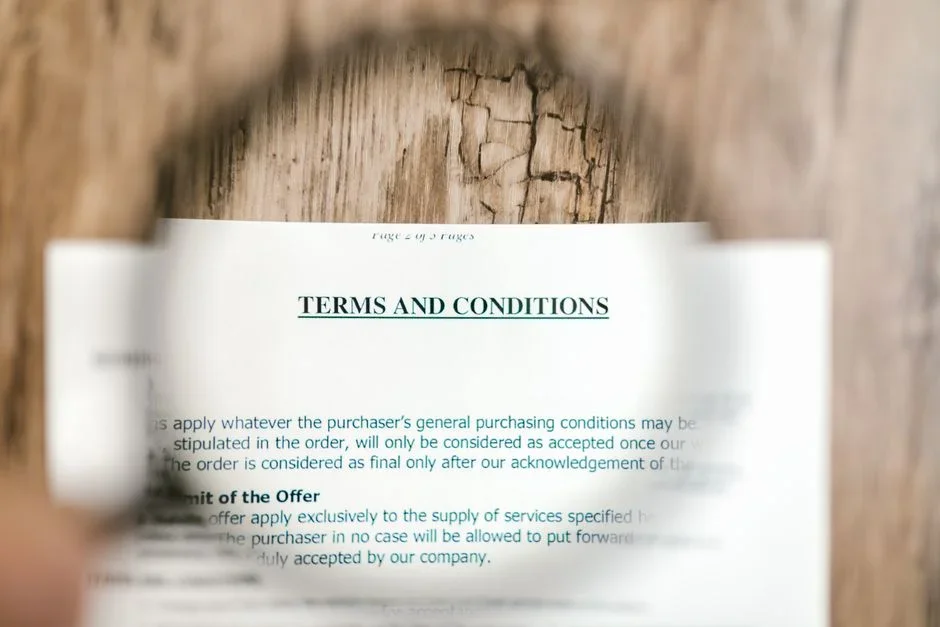
Red flag 5: No refund clarity and fuzzy data rights
Two quieter signals close the picture. The first is refunds. A fair tool states its refund policy plainly — what's eligible, the window, how to request it. Silence is not generosity; it usually means "no refunds, and we'd rather you not notice until you ask." The second is data rights. AI tools run on your inputs, and the policy should say in plain terms what happens to them: whether your content trains their models, who it's shared with, whether you can delete it, and what survives after you cancel.
How to check: Search the Terms and Privacy Policy for "refund," "training," "third party," "retain," and "delete." Vague phrasing — "we may use your data to improve our services" with no limits — is a rights you're signing away, not a courtesy. For a worked example of how these documents read in practice, see how we broke down the specifics in our Otter.ai review, where the data and retention language is examined line by line.
The two-minute pre-payment checklist
- Demo: Can you see the product actually working, from the company or an independent source — not just marketing?
- Identity: Is there a named legal entity, a jurisdiction, and a real contact channel in the footer or policies?
- Billing: Is the real price (and billing period) stated up front, with a cancellation path you can find in under a minute?
- Trial: Do you know the exact conversion date, the charge amount, and whether you can cancel without emailing anyone?
- Refunds: Is there a written refund policy with a window and a process?
- Data: Does the policy clearly say whether your inputs train their models, who they're shared with, and how to delete them?
If three or more of these come back blank, that absence is your answer. Tools built to deliver value almost never leave all six unanswered.
Frequently Asked Questions
Does requiring a credit card for a free trial automatically mean it's a scam?
No. Plenty of legitimate tools ask for a card so the trial can roll into a subscription without friction. The card request is a prompt to do your homework, not a verdict. The combination to worry about is a required card plus a hidden renewal date plus a hard-to-find cancel button. One of those is normal; all three together is the trap.
Where do I actually find a company's real information?
Start with the website footer, then open the Terms of Service and Privacy Policy — those documents almost always have to name the operating entity and its jurisdiction. Cross-reference that name with the app-store listing and, where available, a public business registry. If the names don't match or none exist, that mismatch is itself the finding.
How many bad reviews should worry me?
Look for patterns, not volume. A handful of one-star reviews is normal for any product. What matters is whether many independent people describe the same specific problem — the same cancellation runaround, the same surprise charge, the same ignored refund request. Repetition across unrelated reviewers is far more telling than a single furious post.
Is an AI tool allowed to train on the data I put in?
Often, yes — if its policy says so and you agree by using it. The red flag isn't training itself; it's a policy that's silent or deliberately vague about it. You want clear language on whether your inputs train models, who data is shared with, and how to delete it. "We may use your data to improve our services," with no limits, hands over more than most people realize.
None of these signs proves bad intent on its own. Stacked together, though, they describe a tool built to extract rather than serve — and every one of them is checkable before you pay, from documents the company already publishes. That's the whole premise of LegitTool: we read the public record so you can spend two minutes, not two hours, deciding whether a tool has earned your trust.