Does This AI Tool Train on Your Data? A 5-Minute Transparency Check

You typed something into an AI tool today. A messy email draft, a contract clause, maybe a half-formed idea you'd never say out loud at work. The question that should follow is uncomfortable but simple: where did that text go after you got your answer? For a lot of tools, the honest answer is that a copy stuck around — and some of it may be feeding the next version of the model. The good news is you don't have to read a 6,000-word legal document to find out. You need about five minutes and the right four or five words to search for.
This is a narrow companion to the broader job of reading a whole privacy policy. We're chasing exactly one thing here: whether your input becomes training fuel, and whether you can say no. Everything below is built around that single question.
Why the training question is its own thing
A general privacy policy tells you who can see your data, how long it's kept, and who it's sold or shared with. All useful. But "training" is a separate hazard, because it's the one use that can be effectively permanent and irreversible. Once your text has been baked into a model's weights, there's no clean delete button — you can ask them to stop using your data going forward, but the version that already learned from it isn't getting un-learned on request.
That's why a tool can be perfectly "private" in the ordinary sense (encrypted, not sold to advertisers) and still use everything you type to improve its product. Those are two different promises. A policy that loudly says "we never sell your data" is often quiet about whether it trains on it. Read the silence as carefully as the text.
The five-minute method: search, don't read
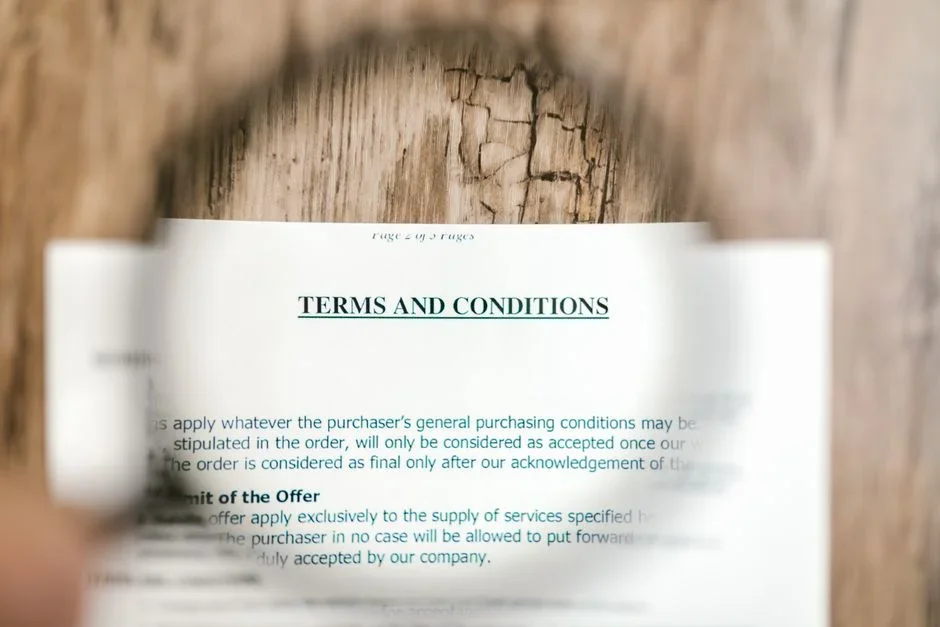
Open the privacy policy or terms of service, then hit Ctrl+F (Cmd+F on a Mac) and run these searches one at a time. You're scanning for the paragraphs that matter and ignoring the rest.
- "train" — the most direct hit. Catches "train", "training", "trained". This is where a company usually states outright whether your content trains models.
- "improve our services" — the soft phrasing. "We use your data to improve our services" frequently includes model training without naming it. Treat this as a yellow flag that needs more reading, not a green light.
- "model" — finds "machine learning models", "develop our models", "model performance". Often appears in clauses the word "train" misses.
- "opt out" / "opt-out" — jumps you straight to whether a choice exists and where to make it.
- "human review" — staff reading your inputs to label or evaluate them. Not the same as training, but it's a strong signal your content is being looked at by people, and the two usually live in the same section.
Two minutes of searching beats twenty minutes of reading top to bottom, and you're far less likely to gloss over the one sentence that counts. If a tool has a separate "AI" or "data" sub-policy, search there too — that's where the real training language often hides, away from the main document.
What the wording actually means
The phrasing is where companies get slippery, so here's how to translate the common patterns into plain risk.
Clear "yes" language
"We use your content to train and improve our models." "Your inputs may be used to develop our machine learning systems." This is honest, and at least you know where you stand. The follow-up question becomes whether there's an opt-out.
The dodge: "improve our services"
This is the phrase to distrust most, precisely because it sounds harmless. "Improving services" can mean fixing bugs and load times — or it can mean training a model on your data, with no further detail. When a policy uses this phrase and never separately clarifies its stance on model training, assume the broad reading. Vague wording almost always favors the company that wrote it, not the user who has to interpret it.
The conditional: "may", "for example", "such as"
"We may use your data, for example, to enhance our models." Those hedge words aren't reassurance — they keep options open. "May" means "we reserve the right to," and "for example" means the list is illustrative, not exhaustive. Read conditional clauses as describing what the company is permitted to do, not the floor of what it does.
The genuine "no"
"We do not use customer data to train our models." "Your conversations are never used for training." Specific, unconditional negatives are the strongest reassurance you'll find. Even then, check whether it applies to your tier — many tools draw a hard line between consumer/free accounts (often used for training) and paid business accounts (often excluded). The default for the free version is frequently the more permissive one.
If you want to see how this reads in the wild, our Otter.ai review, which quotes its training language shows how a real policy can sit somewhere between these categories rather than landing cleanly in one. Pulling the exact clause and parsing it is the core of how LegitTool surfaces training clauses across the tools we examine — we read the public record so the wording does the talking, not our paraphrase.

How to actually opt out
If training is on by default, an opt-out is often available — just buried. Look in these spots, roughly in order of likelihood:
- Settings → Data controls / Privacy. Many tools now put a toggle here, often labeled "Improve the model for everyone" or "Use my data for training." Switch it off.
- Account or workspace admin. On team plans, the choice may sit at the admin level and apply to everyone, not in your personal settings.
- A linked form. Some policies say opt-out requires emailing a privacy address or submitting a request form. If that's the only route, it counts — but it's a friction signal worth weighing.
- Turning off chat history. On some tools, disabling history also disables training. Confirm the policy actually links the two before you rely on it.
One caveat that catches people out: opting out usually stops future use, not past use. Anything you submitted before flipping the switch may already be in the pipeline. And opting out rarely deletes existing data — that's typically a separate deletion request. If a tool offers no opt-out at all and trains by default, that's a legitimate reason to keep anything sensitive out of it, full stop.
Frequently asked questions
If a policy doesn't mention training at all, am I safe?
No — silence is not a promise. A policy that never addresses training hasn't ruled it out; it's just left itself room. Combine that silence with a broad "improve our services" clause and you should assume your input could be used until the company says otherwise in writing. Absence of a "no" is not a "no."
Does paying for a tool mean it won't train on my data?
Often, but never assume it. Many vendors do exclude paid or enterprise tiers from training while using free-tier data freely — but the only way to know is to read the clause for your specific plan. The protection comes from the policy language tied to your tier, not from the fact that money changed hands.
Is "human review" the same as training?
Not exactly, but it's related and arguably more immediate. Training feeds your data into a model; human review means a person may read your inputs to rate or label them. A tool can do one, both, or neither. If you'd be uncomfortable with a stranger reading what you typed, search for "human review" or "review your conversations" specifically — it's a distinct disclosure from the training one.
How do I keep up when policies change?
Policies get rewritten quietly, and a "we don't train on your data" line can soften over time. Re-running these searches when a tool announces an update is the manual approach. If you'd rather not babysit it, you can get alerted when a data policy changes on the tools you care about, so a shift in the training clause doesn't slip past you.
Five minutes and four search terms will tell you more about a tool's real intentions than its marketing page ever will. When you'd rather skip the legwork, LegitTool does this parsing for you — pulling the exact training and opt-out language from public policies so you can decide with the actual words in front of you, not a press release.