Free Trial Auto-Renewal Traps in AI Tools (and How to Avoid Them)

The word "free" does a lot of heavy lifting on a signup page. A free trial that asks for your card number isn't really free — it's a paid subscription with a grace period, and the grace period ends quietly. Most people who get charged for a tool they meant to cancel didn't ignore a warning. They just never saw one. The terms were there; they were arranged so you'd skim past them. Here's how that arrangement works in AI tools specifically, and the small set of habits that keep your card off autopilot.
The card-up-front pattern is the whole trick
There are two kinds of free trial. One lets you use a limited version with no payment details at all — you hit a wall when the free credits run out, and nothing happens to your bank account. The other asks for your card before you've generated a single image or rendered a single video. That second kind is the one to watch. Once your card is on file, the default isn't "ask the user" — it's "charge the user." The trial is a countdown, and silence is consent.
This is common in AI tools because the underlying compute genuinely costs money. Generating video, cloning voices, or running large models burns real GPU time, so vendors want a committed payment method up front to discourage throwaway accounts. That's a defensible business reason. It still means you've handed over billing permission before you know whether the tool is any good. The fix isn't to avoid every card-up-front trial — it's to treat the moment you enter your card as the moment you set a cancellation reminder, not a problem for later.
Four design choices that turn "free" into a charge
When the LegitTool editorial team reads a tool's public billing terms, the same handful of patterns show up again and again. None of them are illegal. All of them lean on the fact that you're excited to try the thing and not reading carefully.
- No reminder before the charge. Some vendors email you a day or two before the trial ends. Many don't. If the terms don't promise a reminder, assume there won't be one and set your own.
- The cancel button is buried. Signing up takes two clicks on the homepage. Cancelling can mean digging through account settings, a billing sub-page, and a "are you sure?" sequence designed to talk you out of it. The harder it is to find, the more deliberately it was hidden.
- A pre-checked annual plan. This is the expensive one. The signup flow quietly defaults you to an annual subscription instead of monthly, so when the trial converts you're billed for a full year at once, not one month. Always check whether the toggle says "monthly" or "yearly" before you confirm.
- Trial length stated in fine print, not the headline. "Start free" sits in giant type. "7-day trial, then $X/month, auto-renews" sits in grey 11-point text below the button. The real terms are almost always on the pricing or terms page, not the splashy landing page.

The terms live on the pricing page — go read them first
Here's the part most signups skip: before you click "start free," open the tool's pricing page in another tab and actually read it. This is where the honest details live — trial length, what happens when it ends, whether you're being nudged toward annual, and how cancellation works. A vendor that spells this out plainly is showing you respect. One that makes you hunt for it is telling you something too.
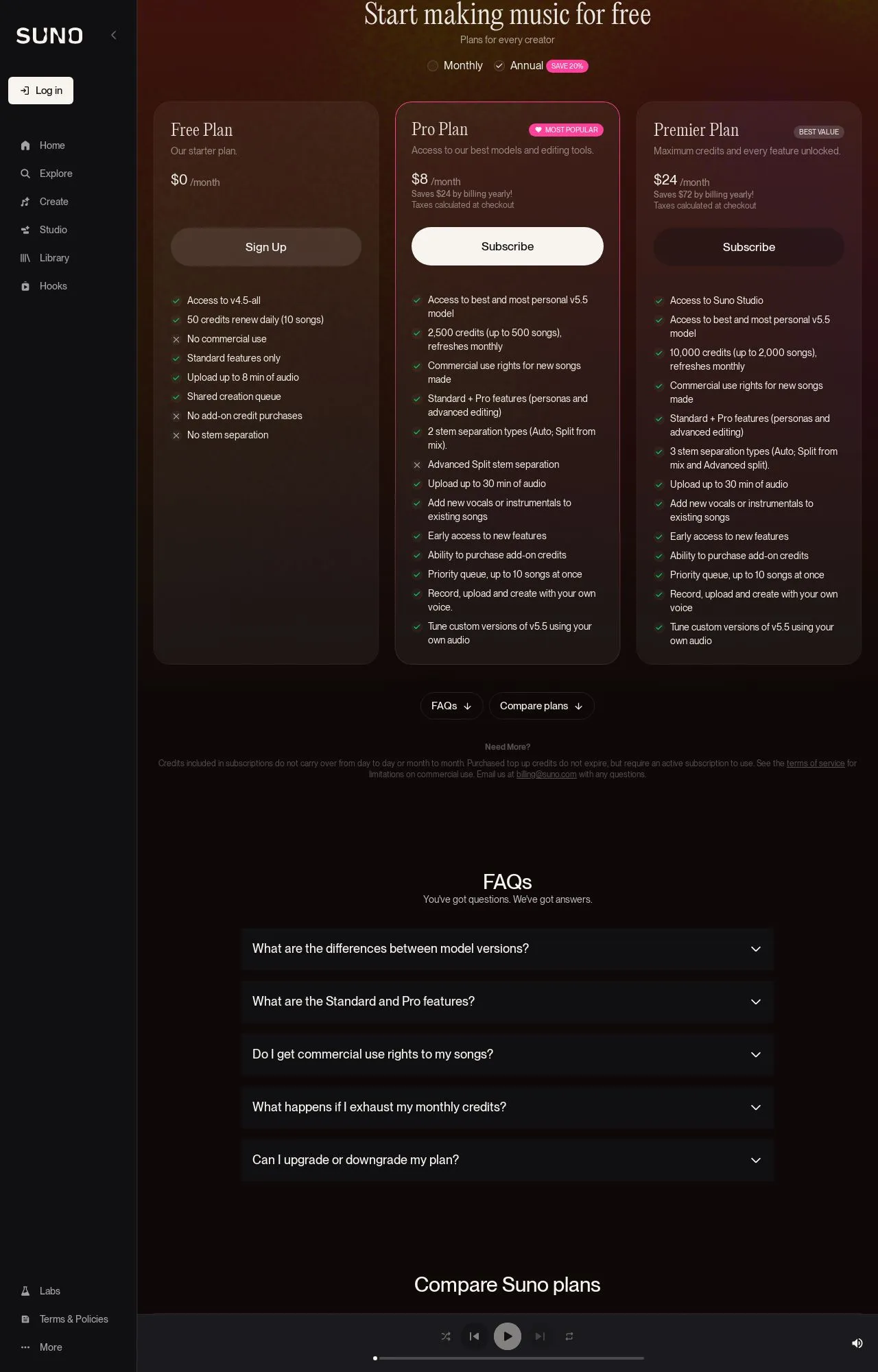
Reading billing terms is a core part of how the LegitTool editorial team evaluates a tool; you can see the approach in how we read billing terms and other public records. We don't run the trials ourselves — we read the same pages you can read, so you don't have to learn the hard way. Take a generative-music tool like Suno: its pricing page lays out the free-versus-paid tiers and what each plan includes, which is exactly the kind of page worth two minutes of your time. The specifics for any given tool change, so for the current details check our review of Suno rather than trusting a number you saw repeated somewhere.
Your pre-signup checklist
Run through this before you enter a card on any AI tool. It takes about three minutes and saves the annoyance of disputing a charge later.
- Does the trial require a card at all? If not, you're safe — sign up freely.
- Find the exact trial length and the price it converts to. Both should be on the pricing or terms page.
- Check whether the plan defaulted to monthly or annual, and switch it if you only want to test.
- Confirm whether they promise a reminder email before charging. Don't rely on it.
- Locate the cancel path now, while signing up — settings, billing, then "cancel." If you can't find it, that's a red flag.
- Screenshot the terms as they appeared the day you signed up. Useful if a charge is ever disputed.
- Set a calendar reminder for two days before the trial ends (see below).
The one habit that beats every trap: a calendar reminder
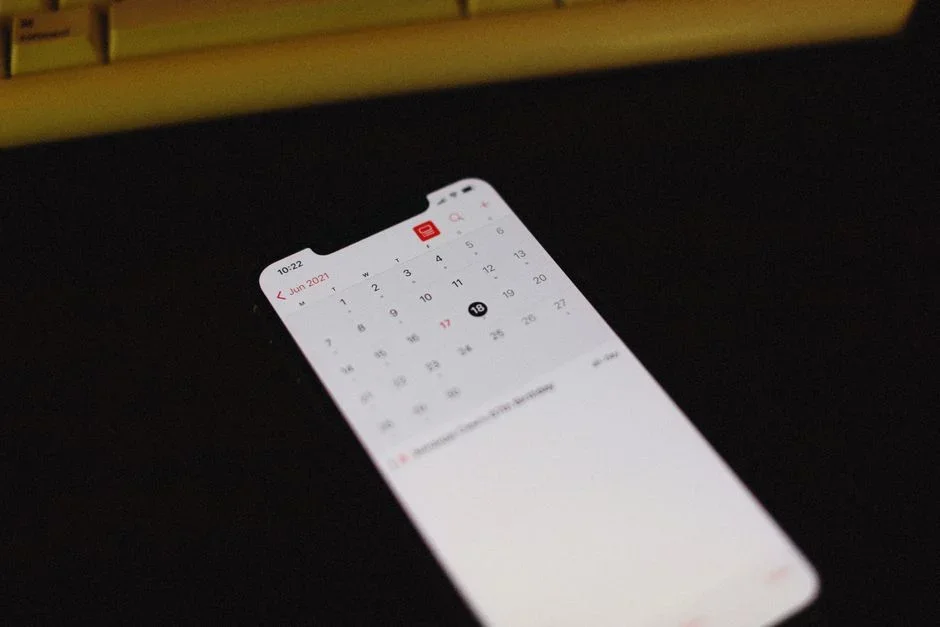
You will not remember a trial end date on your own. Nobody does — that's the entire business model. So outsource it. The moment you enter your card, open your calendar and create an event for two or three days before the trial expires, with a title like "Cancel [tool] trial or get charged." Two days of buffer gives you time to decide whether the tool earned its keep, and to actually find that buried cancel button without rushing.
Set it to alert you, not just sit silently on the calendar. If you trial several tools — which is normal when you're comparing options like HeyGen against other video generators — a reminder per trial keeps them from blurring together. The reminder is your override for the "no reminder before the charge" pattern. Vendors won't always warn you; you warn yourself.
Frequently Asked Questions
Is it legal for a tool to charge me without a reminder?
In many places, yes — if the auto-renewal terms were disclosed at signup, even in fine print, the charge is generally valid. Rules vary by region, and some jurisdictions require clearer notice or easy cancellation. But "legal" and "fair" aren't the same thing, and a refund fight is never as easy as a calendar reminder would have been.
Can I just cancel right after signing up and still use the trial?
Often, yes. With many tools, cancelling immediately leaves your access running until the trial date ends, and simply stops the auto-charge. Not every vendor works this way, so read the cancellation terms — if it says cancelling ends access instantly, wait until near the end of the trial instead.
What if I already got charged for something I meant to cancel?
Contact the vendor's support first and ask for a refund — many will grant one for a recent, clearly unused renewal, especially within a few days. If they refuse and you believe the terms were misleading, your card issuer's dispute process is the next step. Keep the screenshot of the terms you took at signup; it helps.
How do I know a trial is safe before I sign up?
Read the pricing page, confirm the trial length and conversion price, and check the cancel path exists. When you want a second opinion on a specific tool's billing and reputation, you can check a tool before you sign up on LegitTool, where we summarize the public terms and registration records in one place.
None of this requires you to be suspicious of every AI tool — plenty are upfront and worth paying for. It just requires reading the terms once, in the right place, and giving your future self a nudge. When you'd rather not dig through a pricing page yourself, that's what LegitTool is for: we read the public records so you can decide with your eyes open.